How to Make Your Phone Battery Last Longer: 12 Simple Tips
Running out of battery before the day ends? These 12 simple tips help your Android or iPhone last longer every day and keep the battery healthy for years.

Phones keep getting more powerful, but battery anxiety hasn't gone away. The good news: a few small changes can add hours of use each day and slow down long-term battery wear. These tips work on both Android and iPhone.
Get more hours out of each charge
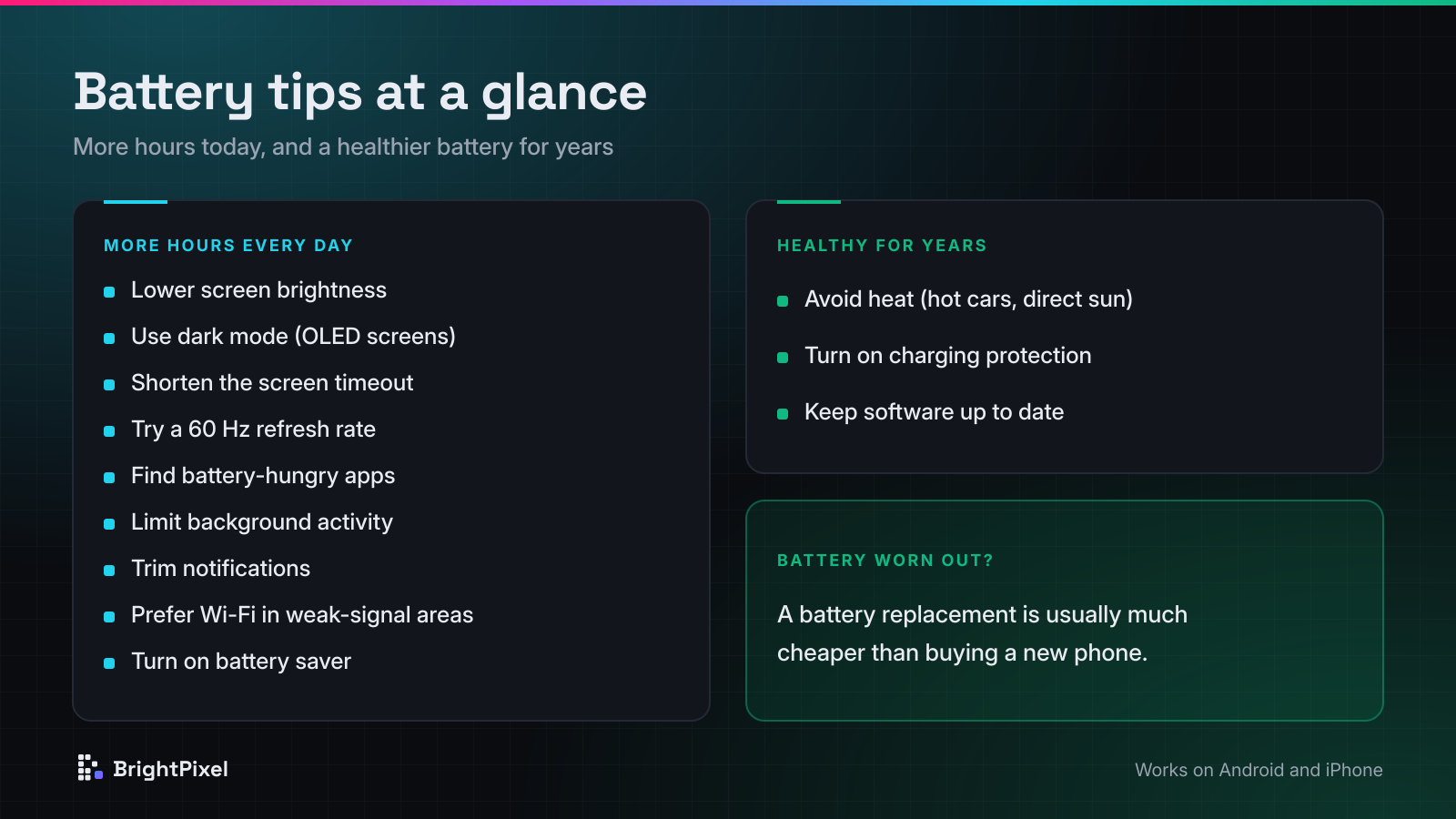
1. Lower screen brightness
The display is usually the biggest battery drain. Turn on auto-brightness (Adaptive Brightness on Android, Auto-Brightness on iPhone) and avoid keeping the screen at maximum indoors.
2. Use dark mode on OLED screens
On OLED displays, black pixels are switched off, so a dark theme can save noticeable power. Most mid-range and flagship phones now use OLED.
3. Shorten the screen timeout
Set the screen to turn off after 30 seconds to 1 minute. It sounds small, but it adds up over hundreds of daily pickups.
4. Consider a lower refresh rate
120 Hz screens feel smooth but use more power. Many phones switch automatically; if yours lets you choose, a standard 60 Hz mode can stretch your battery on long days.
5. Find the apps draining your battery
Check Settings → Battery on either platform to see which apps use the most power. Social media, video and navigation apps are common culprits. Limit their background activity or uninstall apps you rarely use.
6. Restrict background activity and location
Many apps refresh and check your location even when you aren't using them. Set location access to "While using the app" and turn off background refresh for apps that don't need it.
7. Trim notifications
Every notification wakes the screen and the processor. Turn off notifications from apps that aren't important.
8. Watch out for weak signal
In areas with poor coverage, the phone works hard to stay connected. Use Wi-Fi when available, and switch on Airplane Mode in places with no signal at all.
9. Use battery saver mode
Battery Saver on Android and Low Power Mode on iPhone reduce background activity and visual effects. Turn them on whenever you know you need to make it to the end of the day.
Keep your battery healthy for years
10. Avoid heat
Heat is the biggest enemy of lithium-ion batteries. Don't leave your phone in a hot car or in direct sun, and avoid heavy gaming while it's charging.
11. Use your phone's charging protection
Keeping a battery at 100% for long periods speeds up wear. Most modern phones include a protection feature — such as Optimised Battery Charging or an 80% charge limit on iPhone, and Adaptive Charging or battery protection settings on many Android phones. Turn it on.
12. Keep software up to date
Updates often include battery and efficiency improvements, along with security fixes. Install them when they're available.
When to replace the battery
All batteries wear out. If your phone shows a low battery health percentage, shuts down unexpectedly or barely lasts a few hours, a battery replacement is usually much cheaper than a new phone — and makes it feel almost new again.
Frequently asked questions
What drains a phone battery the most?
The screen is usually the biggest drain, followed by apps running in the background, constant location use and a weak mobile signal.
Is it bad to keep my phone charged to 100%?
Keeping a lithium-ion battery at 100% for long periods speeds up wear. Turn on your phone's charging protection, such as Optimised Battery Charging or an 80% charge limit.
Does dark mode save battery?
Yes, on phones with OLED screens, because black pixels are switched off and use almost no power.
When should I replace my phone battery?
If your battery health is low, the phone shuts down unexpectedly or it barely lasts a few hours. A battery replacement is usually much cheaper than a new phone.
Sources: Apple: Maximizing battery performance, Google Pixel Help: Adaptive Battery and battery optimization. Menu names vary by phone model and software version.